TR standard

Low-voltage battery

TR standard.

Five specified capacities in a wall-mounted LFP battery format. Select the capacity, enclosure and a compatible external inverter for the installation.

INVERTER
Compatible external inverter required
ENCLOSURE
IP20; IP54 optional
NOMINAL ENERGY
5.12–20.07 kWh
BATTERY VOLTAGE
51.2 V nominal DC
Start your project ↗

Specifications

Model / configurationEnergy (kWh)Nominal DC (V)
TR4000WX5.1251.2
TR6000WX10.2451.2
TR8000WX14.33651.2
TR8500WX16.07651.2
TR10000WX20.0751.2

Self-heating is optional. Confirm the charge/discharge current, output power and enclosure option for the exact model and inverter.

ModelDimensions (mm)Approx. kg
TR4000WX400 × 750 × 160 / W × H × D53.5
TR6000WX600 × 750 × 160 / W × H × D95
TR8000WX480 × 822 × 245 / W × H × D110
TR8500WX480 × 822 × 245 / W × H × D115
TR10000WX500 × 922 × 265 / W × H × D145

Communication: RS485 / RS232 / CAN; Wi-Fi / Bluetooth
Temperature: Charge 0 to 55 °C

Choose for the room, the season and the region.

A hot enclosed room, a rain-exposed southern home and a northern cool-season location need different checks. Localize the installation plan around the battery's real environment, not a single label for Thailand.

Temperature:
Charge 0 to 55 °C
ENCLOSURE
IP20; IP54 optional
01

Central home · heat in the equipment room

An enclosed utility room can have different conditions from outdoor weather; assess the actual room.

An EU all-in-one needs a location consistent with its IP21 enclosure and model manual. Preserve ventilation and service access. Its listed charge 0 to 55 °C range is not a guarantee of full-power operation in a sun-heated or unventilated space.

Does the room collect roof or afternoon heat?
  • What temperature is observed at the battery position during use?
  • Can equipment clearances and ventilation stay unobstructed?
02

Southern home · monsoon exposure

Southern rainfall patterns differ from the north; the southeast can remain rainy under the northeast monsoon.

Plan a dry, sheltered equipment area and evaluate rain entry, coastal air and water exposure at the actual site. TR Pro and HP Ultra list IP66, but no salt-spray or flood guarantee is established by the reviewed product literature.

Can rain or splash reach the equipment area?
  • Is there coastal or salt-air exposure?
  • Which sheltered position is accessible for inspection and service?
03

Northern home · seasonal temperature change

The northeast monsoon brings cooler, drier conditions to much of northern and northeastern Thailand.

Record the actual low temperature and any damp or condensation exposure at the chosen location. Check the selected battery's charging limits; optional self-heating must be confirmed for the exact model rather than assumed to enable sub-zero charging.

What is the lowest temperature at the battery location?
  • Is damp or condensation seen during seasonal changes?
  • Which inverter voltage and communication interface does the system require?

Specifications
  • Keep the inverter relationship clear: an EU or TA6000 all-in-one includes an inverter; an HP, TR or TB battery-only installation requires a compatible external inverter.
  • Do not transfer climate limits across families. TR Pro lists charge 0 to 55 °C and discharge −20 to 60 °C; HP Ultra's selected configuration temperature limits need confirmation.
  • Separate enclosure selection from climate assumptions. EU is IP21; TR standard and HP K list IP20 with optional IP54, TB is IP20, and TR Pro / HP Ultra list IP66. Confirm shelter, damp exposure and model-specific installation requirements.

PRODUCT DETAIL / ORIGINAL LITERATURE

Every side. Every connection.

Five model names provide family context, but the compact callout housing is not individually assigned to a SKU. The roller annotation expressly names TR8000WX and TR8500WX. Native photo detail is limited; no replacement surface or port detail is synthesized.

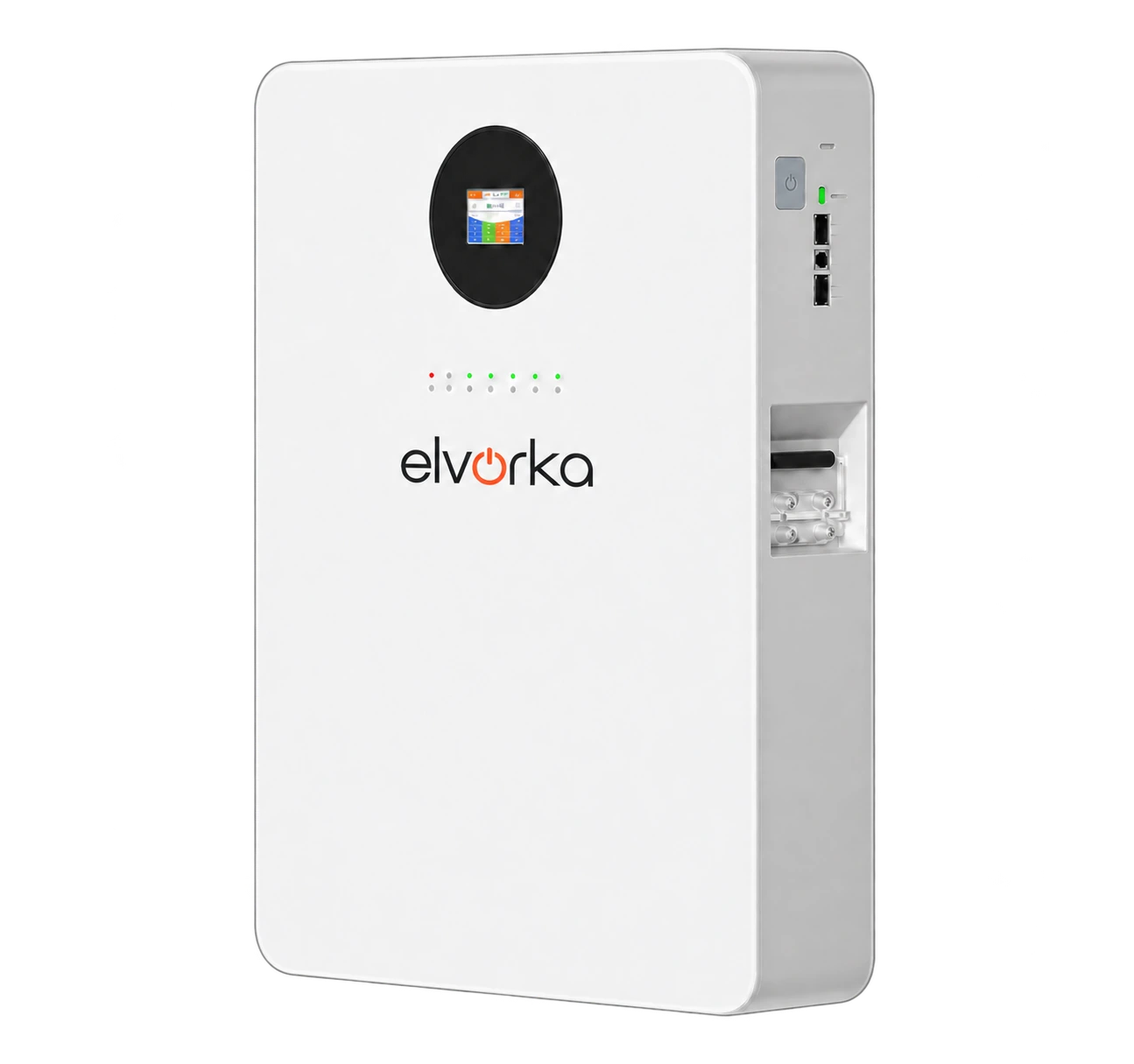
Front controls and side terminals
Front controls and side terminalsTouch screen, status indicators, communication ports and DC terminals on the illustrated cabinet.
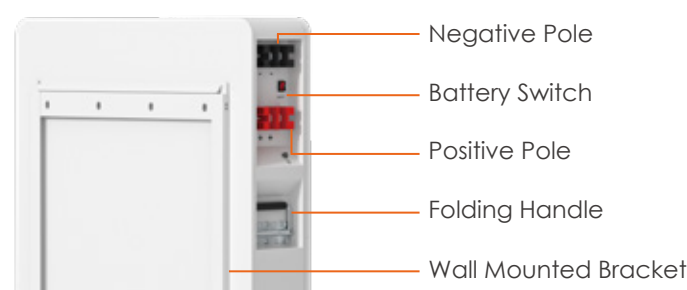
Rear bracket and terminal-side labels
Rear bracket and terminal-side labelsRear mounting bracket and side terminal area of the illustrated battery.
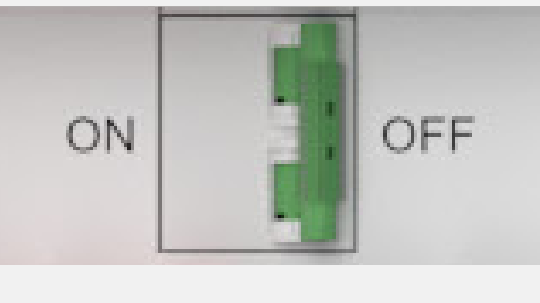
Circuit control switch detail
Circuit control switch detailCircuit control switch with ON/OFF markings.
Original rear three-quarter view
Original rear three-quarter viewRear three-quarter view showing the mounting bracket and terminal side.
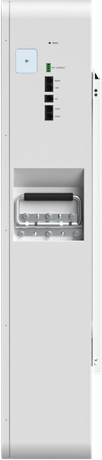
Original side profile
Original side profileSide profile showing communication ports and the recessed handle.

Know your interfaces.

Power connections

Negative battery terminal
Negative DC battery power terminal as identified by the original arrow.
Positive battery terminal
Positive DC battery power terminal as identified by the original arrow.

Communication

Wi-Fi / Bluetooth
Wi-Fi/Bluetooth feature identified in the callout; no app or pairing workflow is established here.
Dry contact
Dry-contact interface identified; contact logic, pinout and electrical ratings are not supplied.
RS232 / CAN / RS485
Communications interfaces named in the source; protocol compatibility and wiring require separate confirmation.
COM0 / COM1
Ports named COM0/COM1. This page does not state their role, pinout or parallel-system limits.

Controls & indicators

Touch screen
Touch-screen display identified in the original callout.
Running status indicator
Running-status indication; source spelling is 'Runing Status'. Indicator logic is not specified.
Alarm indicator
Alarm indication identified in the source.
SOC indicator
SOC indicator identified in the source; display thresholds are not specified.
Reset control
Reset control identified by the source; operating procedure is not given on this page.
Battery switch
Battery switch identified in the source; no switching rating is given in this callout.

Structure & mounting

Folding handle
Mechanical folding handle; not an electrical connector.
Wall-mounted bracket
Wall-mounting bracket identified in the source; mounting load and fixing details are not supplied here.
Rollers
Rollers; the original annotation explicitly names TR8000WX and TR8500WX. Not an electrical interface.

Source: Residential ESS brochure · PDF page 3 · printed pages 5-6